Table of Contents
- Can You Really Print on Acrylic at Home?
- What Is Acrylic Printing and Why Try It at Home?
- Tools and Equipment You’ll Need:
- Best Acrylic Sheets for Printing
- Step‑by‑Step: How to Print on Acrylic at Home
- UV Printing on Acrylic: Why It’s the Best Method
- Common Mistakes to Avoid (I Learned These the Hard Way)
- Creative Uses for Home Acrylic Printing
- Home vs Professional Acrylic Printing Services
- Alternative Methods: UV DTF and Adhesive Vinyl
- Maintenance and Care for Home‑Printed Acrylic
- Conclusion
- FAQ
Yes, you can print on acrylic at home using a compact UV flatbed printer. The UV light cures ink instantly, bonding it to the surface. You’ll also need white ink for clear sheets and a clean, dust‑free workspace.
I’ve tested this myself in a small studio. The first time I pulled a crisp, glossy acrylic print off a home UV printer, I felt like I’d discovered magic. No more outsourcing small projects. No more waiting weeks. This guide walks you through exactly what works—and what doesn’t.
Can You Really Print on Acrylic at Home?
Can you print directly on acrylic? Yes, with the right equipment. Regular inkjet ink slides right off plastic. You need a UV flatbed printer that sprays UV‑curable ink and instantly cures it with light. These printers are now available in compact, desktop sizes for home use.
How to print your own acrylic? You need a UV printer, white ink capability, acrylic sheets, and design software. The process is straightforward once you understand the steps.
What Is Acrylic Printing and Why Try It at Home?
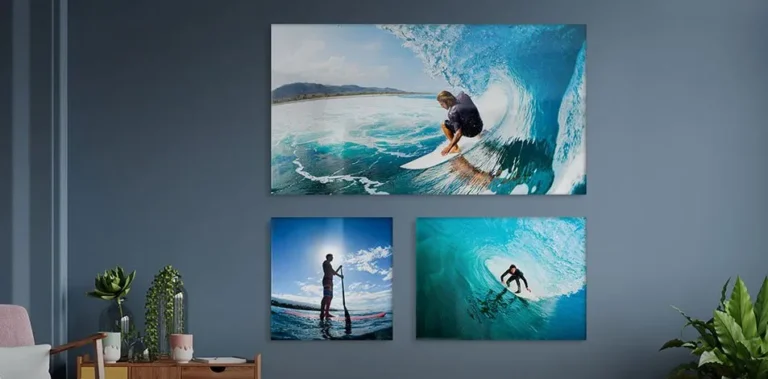
Acrylic printing places UV‑cured ink directly onto sheets of acrylic (often called Plexiglas). The result is a glossy, glass‑like finish that’s lightweight and durable. It’s perfect for wall art, signs, keychains, and gifts.
Doing it at home gives you total creative control. You can prototype, customize, and produce small batches without minimum order quantities.
Tools and Equipment You’ll Need:
Here’s the honest list. No fluff.
- UV flatbed printer: Essential. Look for one with an adjustable bed height to handle different acrylic thicknesses.
- White ink channel: Non‑negotiable for printing on clear or dark acrylic. White under CMYK makes colors pop.
- Design software: Adobe Illustrator, Photoshop, or free GIMP.
- Cleaning supplies: Isopropyl alcohol wipes and lint‑free cloths.
- Acrylic sheets: Clear, frosted, or white. Start with a 2mm–3mm thickness for practice.
Acrylic printer and cutter – Some home printers also cut. That’s a bonus for keychains and coasters.
Best Acrylic Sheets for Printing
| Acrylic Type | Best Use |
| Clear | Backlit signs, floating frame art, light effects |
| Frosted | Privacy screens, reduced-glare décor |
| White | Solid-color prints, photo reproductions |
How to print on acrylic keychain – Use 2mm clear or white acrylic, print mirrored if needed, then cut with a laser or cutter.
Step‑by‑Step: How to Print on Acrylic at Home
Follow these steps exactly. Rushing causes wasted materials.
Step 1: Clean the Acrylic
Acrylic attracts dust like a magnet. Wipe with isopropyl alcohol and a lint‑free cloth. Let it dry completely. One speck = a bump in your print.
Step 2: Prepare Your Design
Use 300 DPI or higher. On clear acrylic, anything white in your design will be transparent unless you print a white underlayer. Plan your layers carefully.
Step 3: Set Up the Printer
Place the acrylic sheet flat on the bed. For thin sheets (under 3mm), secure with low‑tack tape to prevent warping during printing.
Step 4: Choose Material and Print Settings
Select “acrylic” in your printer driver. Choose print quality – high quality uses more ink but looks premium.
Step 5: Set Ink Mode (Very Important)
White ink under CMYK is the secret to vibrant colors on clear acrylic. Use white as a base layer, then print CMYK on top. For solid white acrylic, you can skip white ink.
Step 6: Start Printing
Hit print. The UV lamp cures each pass instantly. You can touch the print right away—no drying time.
How to print an image onto acrylic? Exactly this process. The image is printed directly. No transfer film needed.
UV Printing on Acrylic: Why It’s the Best Method
UV printing beats every alternative. Ink cures on contact, so there’s no smudging. Colors stay vivid. Prints resist scratching and fading. For professional-grade UV acrylic printing in Dubai without buying your own machine, trust experienced studios. Plus, UV printing on acrylic near me – many local shops offer it, but doing it at home saves time for small runs.
“Digital printing on acrylic sheet” is the technical term. It’s the same process: direct digital output onto the substrate.
Common Mistakes to Avoid (I Learned These the Hard Way)
| Mistake | Consequence | Fix |
| Skipping white ink on clear acrylic | Colors look dull and transparent | Always print white underlayer |
| Always print a white underlayer | Tiny bumps and defects | Clean twice, then clean again |
| Wrong print head height | Scratches on acrylic | Calibrate for sheet thickness |
| Heat warping thin sheets | Curling or melting | Use thicker acrylic or lower heat settings |
Can I heat press onto acrylic? No. Do not heat-press acrylic. High heat warps or cracks it. UV printing is a safe method.
What material can you not heat-press? Acrylic, glass, metal, and ceramics. A heat press is for fabrics and some coated substrates only.
Creative Uses for Home Acrylic Printing
- Wall art: Modern, glossy, frameless.
- Keychains: Small, durable, personalizable.
- Signage: Office nameplates or home business signs.
- Coasters and clocks: Functional decor.
- Gifts: Photo prints on acrylic for weddings or anniversaries.
How to print on acrylic keychain: Use 2mm acrylic, print your design (mirrored if double‑sided), then cut with a laser or a Cricut. Wait, can you print on acrylic with Cricut?
How to print on acrylic with Cricut: Cricut cannot print directly on acrylic. It can cut adhesive vinyl that you apply to acrylic. For direct printing, you need a UV printer.
Home vs Professional Acrylic Printing Services
| Aspect | Home DIY | Professional Service |
| Cost per item | Lower after equipment purchase | Higher per piece |
| Control | Full creative freedom | Limited to their options |
| Best for | Small runs, prototypes, gifts | Large panels, bulk orders, exhibition quality |
Many creators test designs at home, then outsource large batches. That balance gives the best of both worlds. However, if you’re concerned about sustainability, read our balanced look at the environmental impact of acrylic printing—including recyclability and eco‑friendly inks.
Alternative Methods: UV DTF and Adhesive Vinyl
If you don’t own a UV printer, you can use UV DTF film (print on film, then transfer to acrylic) or adhesive vinyl. However, direct UV printing on acrylic is more durable and looks cleaner.
Can you laser print on acrylic? Laser printing on acrylic sheet is not possible. Toner won’t adhere, and the heat can warp or melt the plastic. Use UV printing instead.
Maintenance and Care for Home‑Printed Acrylic
- Clean with a microfiber cloth and mild soap (no ammonia).
- Avoid abrasive pads—they scratch.
- Keep out of intense direct sunlight for maximum fade resistance.
Acrylic print durability: With UV-cured inks, prints last 5+ years indoors without fading. Acrylic print durability – With UV‑cured inks, prints last 5+ years indoors without fading. For a detailed cleaning and maintenance routine that works for both homemade and professional prints, see our guide on how to care for acrylic prints.
“The single biggest upgrade to my home acrylic printing was learning to use white ink under CMYK. Before that, everything looked washed out. After? Night and day.”
“Don’t buy a UV printer until you’ve tested your design on a small acrylic sheet at a local shop. That trial run will teach you more than any guide.”
Conclusion
Printing on acrylic at home is no longer science fiction. With a compact UV flatbed printer, white ink, and a clean workspace, you can produce glossy, durable prints for wall art, keychains, signs, and gifts. Start small. Test your settings. And never skip the white underlayer on clear acrylic. Your future projects will thank you.
When you need large, flawless panels or exhibition-quality work, explore acrylic printing in UAE services that use industrial UV machines.
FAQ
Can you print directly on acrylic?
Yes, using a UV flatbed printer. The UV light cures ink instantly onto the surface. Regular inkjet printers will not work.
How to print your own acrylic?
Get a compact UV printer, white ink, and clean acrylic sheets. Follow the step-by-step process: clean, design, set ink mode, and print.
How to print an image onto acrylic?
Prepare a 300 DPI image, load the acrylic into a UV printer, set a white underlayer for clear sheets, and print. The image prints directly—no transfer paper.
Can I heat press onto acrylic?
No. A heat press will warp or crack acrylic. Use UV printing or UV DTF transfer instead.
How to print on acrylic with Cricut?
Cricut cannot print directly on acrylic. Use it to cut adhesive vinyl, then apply the vinyl to acrylic. For direct printing, you need a UV printer.
What is the best printer for acrylic at home?
A compact UV flatbed printer with adjustable bed height and white ink support. Brands include Mimaki, Roland, or smaller desktop units from Chinese manufacturers.